

Included endpoints
-
Authorization
- Get Bearer Token (POST)
-
Conversions
- Word → PDF (POST)
- Excel → PDF (POST)
- PowerPoint → PDF (POST)
- Image → PDF (POST)
- PDF → Word (POST)
- PDF → Excel (POST)
- PDF → Image (POST)
-
Extractions
- Extract PDF Text (POST)
- Extract PDF Form Data (POST)
- Extract PDF Table Data (POST)
- Extract and Autodetect Bounding Boxes for PII (POST)
- Extract Bounding Boxes for Strings (POST)
- Get PDF Properties (POST)
- Set PDF Properties (POST)
-
Transformations
- Redact Bounding Boxes (POST)
- Optimize (POST)
- Flatten (POST)
- Rotate Pages (POST)
- Delete Pages (POST)
- Split (POST)
- Merge (POST)
- Password Protect (POST)
- Password Remove (POST)
-
Jobs
- Get Async Job Status (GET)
- Get Async Job Result (GET)
How to import into Postman
1
Download the collection
Download the latest collection from our public GitHub repository.Download Nitro Automation Platform APIs Postman Collection
2
Import into Postman
In Postman, click Import in the top left and select the downloaded file. The collection will appear in your workspace.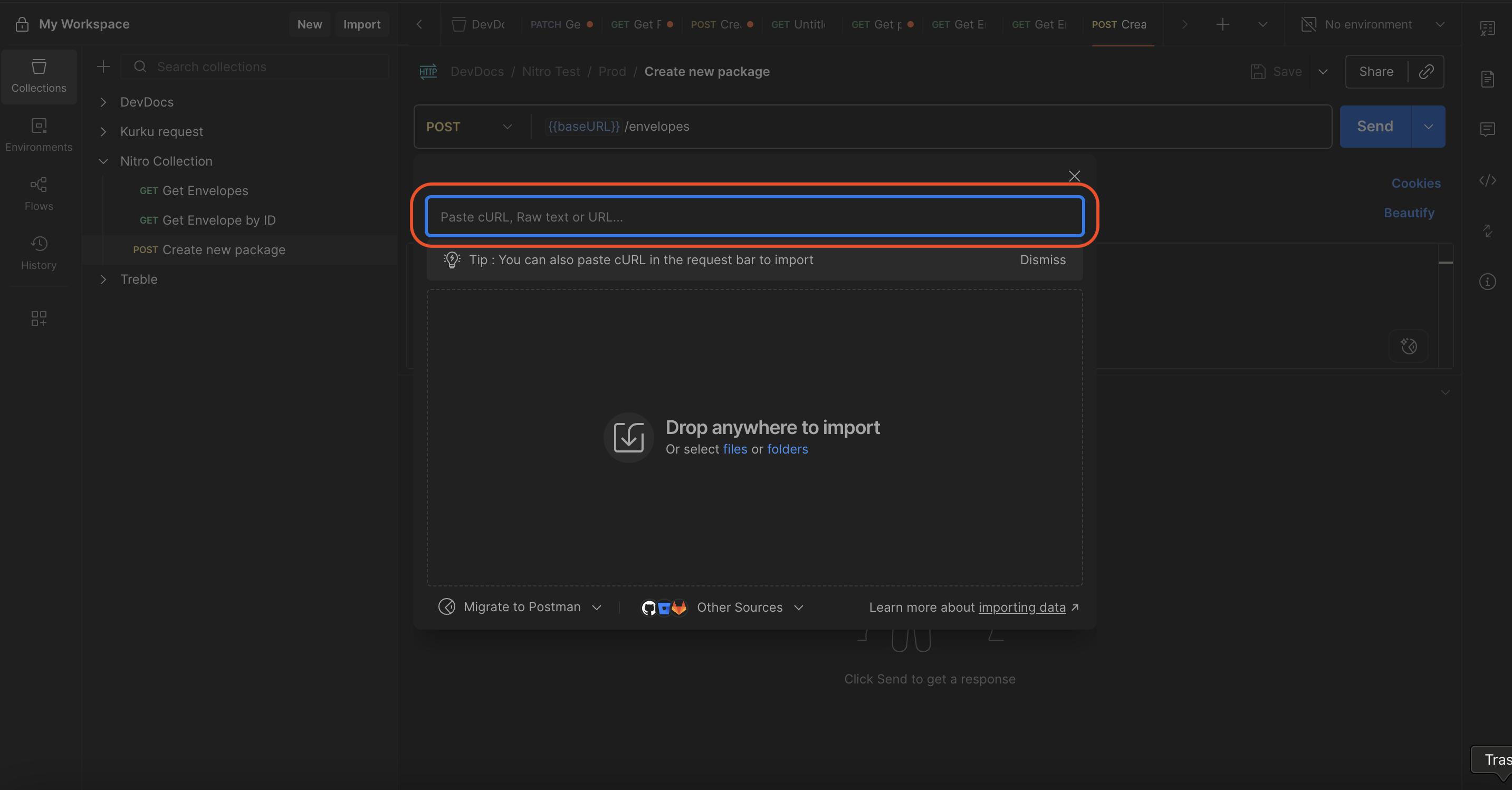
3
Enter your credentials
Open the Authorization → Get Bearer Token request. In the Variables in request panel on the right, enter your 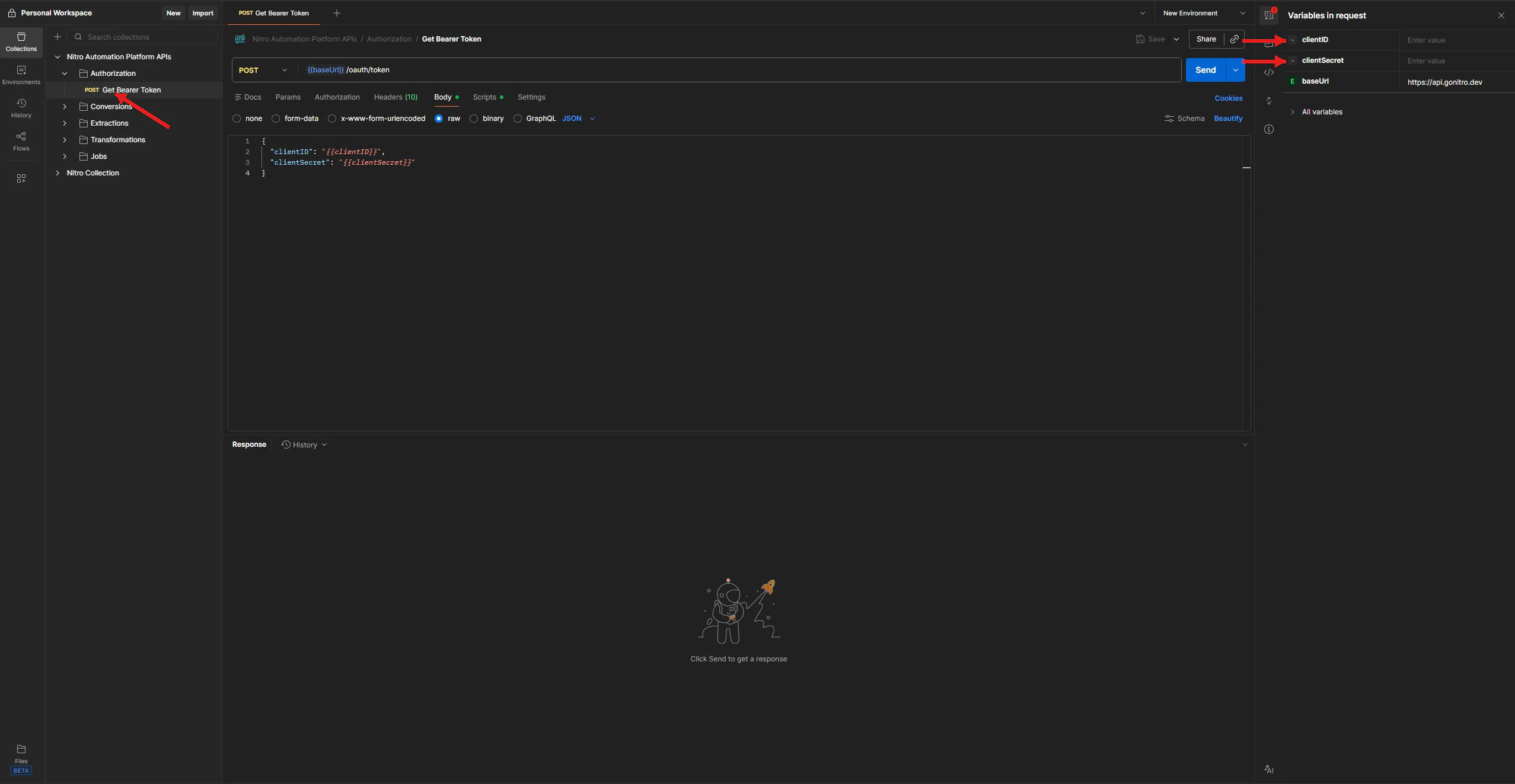
clientID and clientSecret. The baseUrl is pre-set to https://api.gonitro.dev.4
Send requests
Send the Get Bearer Token request — the 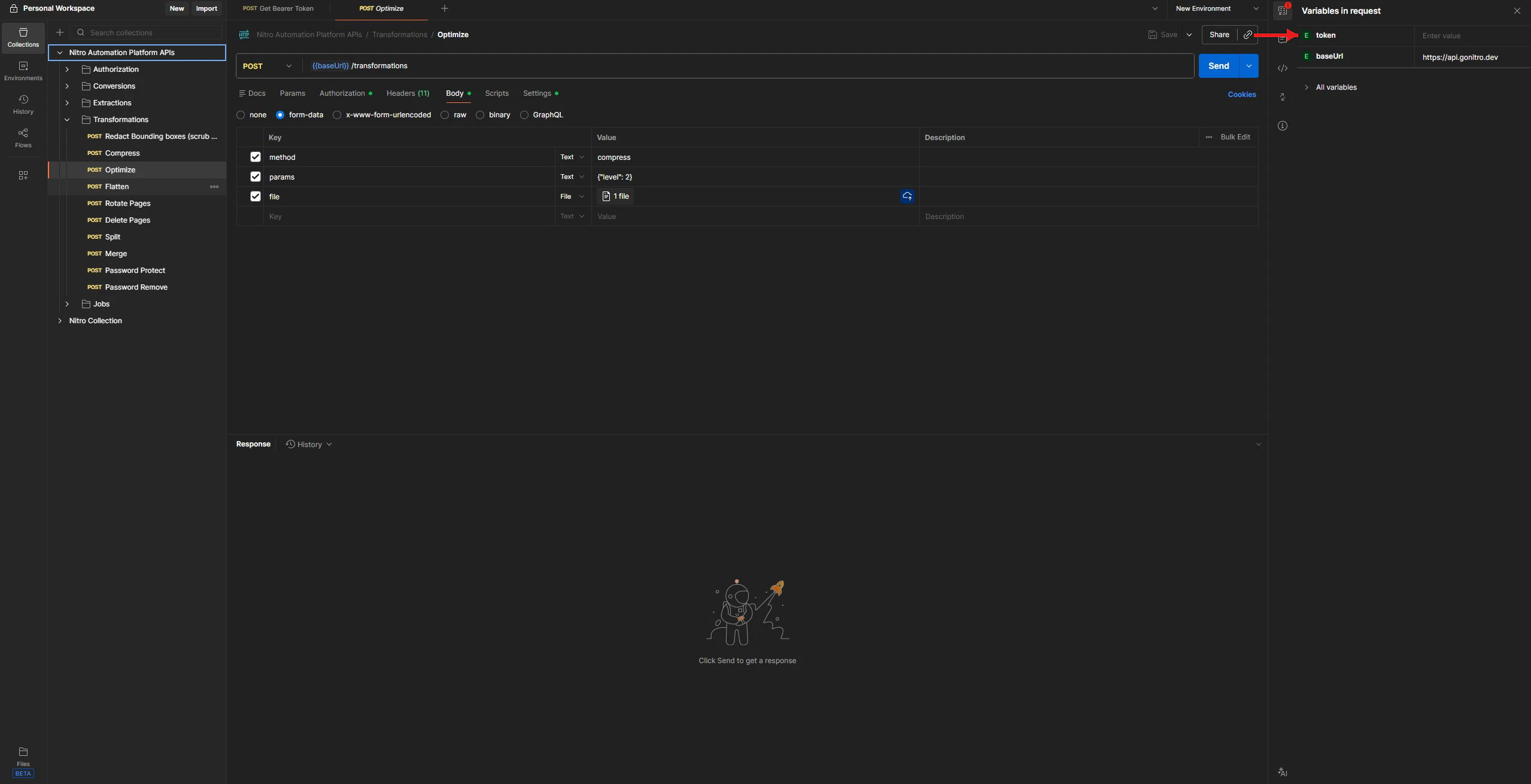
token variable is automatically populated. You can now select any endpoint, fill in the request body, and click Send.